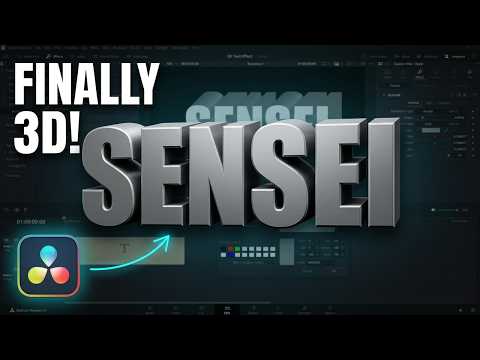
From Flat to 3D | Text Extrusion in DaVinci Resolve
Learn how to create a DaVinci Resolve 3D text effect using the Text Plus tool. Master font adjustments and styling for professional titles.
This tutorial focuses on the fundamental steps required to build custom 3D text in DaVinci Resolve. Whether you are a beginner or looking to refine your motion graphics workflow, this guide walks you through selecting the right title settings and manipulating the 3D space. You will see how to modify content, adjust font parameters, and scale your text to fit any project requirement.
Beyond basic text entry, the video demonstrates how to apply various visual styles to achieve a distinct 3D appearance. By following these steps, you will gain the skills to create custom typography that stands out in your edits. We cover the essential controls within the Text Plus interface, ensuring you understand how to manipulate depth and surface properties effectively.
Sensei’s Links:
Learn More about Me: https://www.jayhaynes.com/
Film Sensei Patreon: https://www.patreon.com/filmsensei
Productioncrate: https://productioncrate.grsm.io/FilmSensei
Get DaVinci Resolve for FREE: https://www.blackmagicdesign.com/products/davinciresolve
Sensei’s Links:
Film Sensei Patreon:
https://www.patreon.com/filmsensei
UDEMY Absolute Beginners Course on HitFilm Express: https://www.jayhaynes.com/
Productioncrate:
https://productioncrate.grsm.io/FilmSensei
Subscribe for weekly DaVinci Resolve editing tutorials, and comment below with the type of text effect you want to learn next.