Damaged Photos? AI Can Fix Them in Seconds!
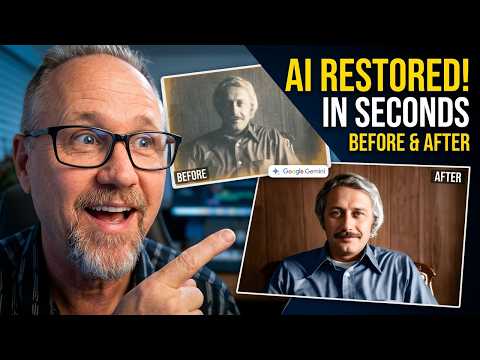
In this video, discover how to use free AI tools like Google Gemini to perform AI photo editing and bring old photos back to life. I’ll demonstrate a straightforward restoration process, showing you how to achieve AI photo repair and stunning photo restoration results in seconds. This technique helps preserve your vintage photos with modern AI capabilities.
🛠️ Resources & Links
Google Gemini: https://gemini.google.com/
📢 Connect with Hit Film Sensei:
Twitter: https://twitter.com/filmsensei
Facebook: https://www.facebook.com/filmsensei/
Sensei’s Links:
Learn More about Me: https://www.jayhaynes.com/
Film Sensei Patreon: https://www.patreon.com/filmsensei
Productioncrate: https://productioncrate.grsm.io/FilmSensei
🕒 Timestamps:
0:00 – Intro
0:26 – Get a Clean Scan of the Photo
0:56 – AI Prompt to Restore the Photo
2:27 – The Result
2:55 – Outro
Prompt Used:
Act as a professional photo restoration expert. Restore this uploaded image by removing all physical artifacts, scratches, and dust. Perform a High Dynamic Range (HDR) lighting adjustment to recover shadow detail. Use neutral-density colorization to create a realistic, vibrant skin tone and environment. Finally, upscale the texture density to 4K resolution, ensuring you preserve the authentic facial features and grain structure of the original subject. Do not reinvent the background; only enhance what is there.
If you found this tutorial helpful, please Subscribe and hit the 🔔 to stay updated on the latest AI filmmaking techniques. Many thanks!